
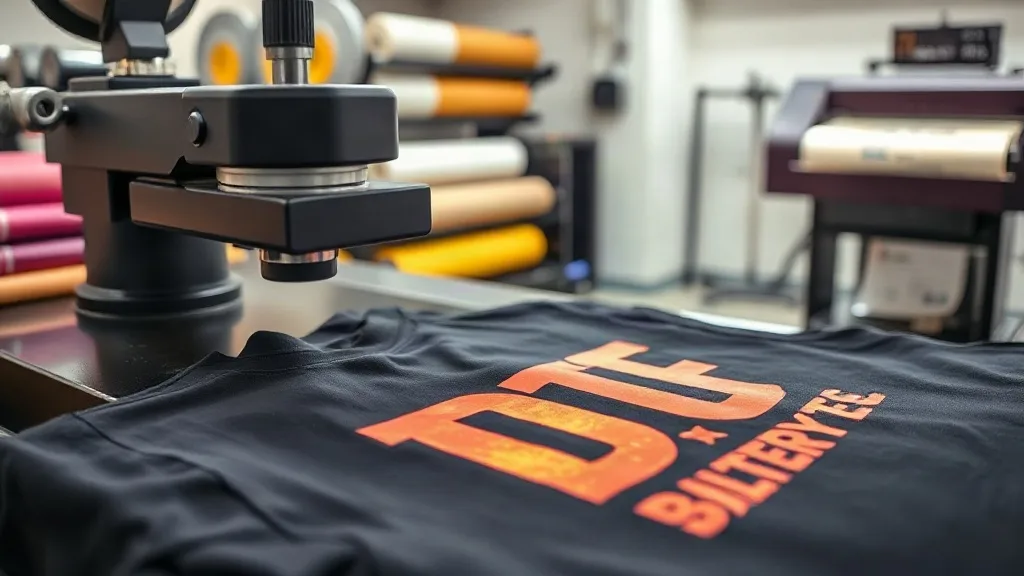
I still remember the first time I saw a DTF transfer come off a heat press. It was a full-color photographic image on a cotton t-shirt, and it looked like it had been printed directly onto the fabric. No setup fees, no color separations, no minimum order. After fifteen years of pushing squeegees and burning screens, I was skeptical. But that first test print changed how I thought about my shop's capabilities.
If you're a screen printer, embroiderer, or just someone who wants to print their own designs, DTF transfers have probably crossed your radar. Maybe you've seen them on Instagram, or a customer asked if you offer them. This guide is what I wish I'd had when I started: a no-hype look at what DTF actually is, what it costs, where it fits in a real production environment, and how to avoid the mistakes I made.
What Exactly Is DTF Printing?
DTF stands for Direct to Film. The process is deceptively simple: a specialized printer lays down a layer of white ink onto a clear PET film, followed by CMYK colors. Then a powdered hot-melt adhesive is applied, cured, and the film is ready to press onto fabric. The magic happens in the white layer. It acts as an opaque base, which means you can print bright colors on dark garments without the plastisol feel of traditional transfers.
Unlike DTG (Direct to Garment), which prints directly onto the shirt, DTF prints onto a film that you then transfer. That extra step gives you flexibility. You can print a batch of transfers, store them, and press them as orders come in. You can also press onto fabrics that DTG struggles with, like polyester, nylon, and even leather.
When I first set up my DTF station, I bought a 13-inch printer, a shaker machine, and a heat press dedicated to transfers. The total investment was around $8,000. That's not pocket change, but it's less than a mid-range automatic screen press. And the learning curve? Steeper than I expected, but manageable if you understand the variables.
The Real Costs of DTF (and How They Compare)
Let's talk money. Screen printing has high setup costs but low per-unit costs at volume. DTF flips that: no setup, but a higher cost per print. Here's the breakdown from my own shop.
- Film and ink: A good quality A3 film costs about $0.50 to $0.80 per sheet. Ink consumption varies, but for a full-color 10-inch by 12-inch design, expect $1.00 to $1.50 in ink.
- Powder adhesive: A little goes a long way. A 1kg bag costs around $30 and handles roughly 100 to 150 transfers, depending on coverage.
- Labor: Printing, powdering, curing, and pressing. For a single transfer, I budget about 3 minutes of active labor. At $15/hour, that's $0.75.
- Heat press time: 15 to 20 seconds per press, plus prep. Not a huge cost, but it ties up equipment.
So a typical full-color transfer on a dark shirt costs me roughly $2.50 to $3.50 in materials and labor. For a one-off, that's a bargain compared to screen printing, where a single shirt might cost $25 in setup alone. But at 500 pieces, screen printing drops to under $1 per print. DTF doesn't scale the same way.
The sweet spot? Orders between 1 and 50 pieces, or designs with lots of colors and gradients. That's where DTF shines. I've used it for team jerseys, bachelorette party shirts, and even sample runs for clients who aren't ready to commit to screens.
Where DTF Fits in a Screen Printing Shop
When I added DTF, I didn't replace my screen presses. I complemented them. Here's how I decide which process to use.
When to Choose DTF
- Small orders with complex art: If a customer wants 12 shirts with a full-color photo, DTF is the only economical choice.
- Polyester and performance fabrics: Screen printing on polyester requires special inks and careful curing to avoid dye migration. DTF transfers sit on top of the fabric and don't have that problem.
- Sample and prototype runs: Before committing to screens, I'll press a DTF transfer to show the client exactly what they'll get. It's faster and cheaper than a screen setup.
- Personalization: Names and numbers on jerseys. DTF handles variable data easily, no need for separate screens.
When to Stick with Screen Printing
- Large orders of simple designs: 100+ pieces of a one-color logo? Screen printing wins on cost every time.
- High-stretch fabrics: DTF transfers can crack if the garment stretches a lot. For yoga pants or spandex, I still use screen printing with stretch additive.
- Long-term durability: A properly cured screen print can outlast the shirt. DTF is durable, but after 50+ washes, you might see some fading or edge lift if the press wasn't perfect.
My Workflow: From File to Finished Shirt
Getting consistent results with DTF took me a few weeks of trial and error. Here's the process I've settled on.
- Art prep: I use RIP software to manage color profiles. The white layer needs to be choked slightly under the color to avoid a halo. Most RIP software handles this automatically, but I always check the preview.
- Printing: I print on a 13-inch DTF printer with a roll feeder. I keep the room humidity around 50% and temperature at 70°F. Static and moisture are the enemies of clean film.
- Powdering: After printing, the film goes through a shaker that applies hot-melt powder. I shake off the excess manually before curing. Too much powder makes the transfer stiff; too little and it won't adhere.
- Curing: The film goes into a curing oven at 320°F for about 2 minutes. I use a timer because overcuring makes the film brittle.
- Pressing: This is where most people mess up. I pre-press the garment for 5 seconds to remove moisture. Then I press the transfer at 320°F for 15 seconds with medium pressure. After that, I peel the film while it's still warm (warm peel) for a matte finish. For a glossy finish, I wait until it's cold.
One tip: always test your settings on a scrap shirt before running a production batch. Different fabrics and transfer sizes need tweaks. I keep a notebook with settings for every garment type I use.
Common Pitfalls and How to Avoid Them
I made plenty of mistakes so you don't have to. Here are the big ones.
- Not enough pressure: If the transfer peels off after a few washes, your press pressure is too low. You want the fabric to compress slightly, but not so much that the transfer squashes.
- Inconsistent powdering: Uneven powder leads to patchy adhesion. I sift my powder and use a shaker with a fine mesh.
- Ignoring fabric type: Cotton presses differently than polyester. Polyester needs lower temperature (around 280°F) to avoid scorching. Always check the garment's care label.
- Storing transfers incorrectly: Keep them in a cool, dry place. Humidity can activate the powder prematurely.
Another thing: DTF transfers have a shelf life. I've used transfers that were six months old with no issues, but after a year, the adhesive can lose its tack. I try to use them within three months.
Is DTF Right for Your Shop?
If you're a small shop owner, adding DTF can open doors. It lets you say yes to orders you used to turn down. But it's not a magic bullet. You still need to manage color, maintain equipment, and train staff. The profit margins are good on small runs, but you won't beat screen printing on volume.
For me, the biggest win was flexibility. I can take a last-minute order for 20 shirts with a full-color design and have them ready the same day. That's a competitive advantage. And my customers love the soft feel and vibrant colors.
If you're considering it, start small. Buy a used printer or a starter kit. Learn the process before you scale. And don't be afraid to experiment. The DTF community is generous with advice, and there are plenty of forums and Facebook groups where you can troubleshoot.
Frequently Asked Questions
How long do DTF transfers last on a shirt?
With proper pressing and care, a DTF transfer can last 50 or more washes. To maximize longevity, wash the garment inside out in cold water and tumble dry on low. Avoid ironing directly on the transfer.
Can I use DTF on any fabric?
DTF works best on cotton, polyester, and blends. It can also be applied to leather, canvas, and denim. However, highly stretchy fabrics like spandex may cause cracking, so test first.
Do I need a special printer for DTF?
Yes, you need a DTF printer that uses pigment ink and has a white ink channel. You can convert some Epson printers, but dedicated DTF printers are more reliable. You also need a shaker and a heat press.
Is DTF more expensive than screen printing?
For small orders, DTF is cheaper because there are no setup fees. For large orders of simple designs, screen printing is more cost-effective. The break-even point is usually around 50 to 100 pieces, depending on the design.
What is the difference between DTF and DTG?
DTG prints directly onto the garment, while DTF prints onto a film that is then transferred. DTF generally produces more vibrant colors on dark fabrics and works on more fabric types, but it requires an extra pressing step.